
Nano Banana Pro AI Image Generator
Nano Banana AI Creation Workbench
Use advanced AI technology to transform your imagination into beautiful images
Get 20 Free Credits & Try Pro
Sign up now to experience 4K resolution and Pro model - no credit card required
Loading Nano Banana Pro...
Nano Banana vs Nano Banana Pro
Compare the fast everyday model with the higher-control Pro workflow before spending credits on your next image.
| Feature Dimension | Nano Banana(Gemini 2.5 Flash) | Nano Banana Pro(Gemini 3 Pro) |
|---|---|---|
| Best Use | Quick concepts, casual edits, social graphics, and frequent experimentation. | Campaign assets, detailed layouts, product visuals, and production-focused editing. |
| Resolution | Designed primarily for fast web-ready image creation. | Offers selectable 1K, 2K, and 4K output for higher-detail delivery. |
| Reference Images | Useful for straightforward edits and lightweight visual guidance. | Uses up to 8 references for more controlled subjects, products, styles, and compositions. |
| Typography | Suitable when text is short or not the central design element. | Better suited to posters, labels, title cards, diagrams, and layouts where readable text matters. |
| Creative Control | Optimized for speed and simple prompt-led changes. | Provides stronger control over framing, lighting, composition, color, and production details. |
| Workflow Trade-Off | Lower-cost iteration when you want to explore more options quickly. | Uses more credits in exchange for higher resolution and greater control. |
Best Use
Quick concepts, casual edits, social graphics, and frequent experimentation.
Campaign assets, detailed layouts, product visuals, and production-focused editing.
Resolution
Designed primarily for fast web-ready image creation.
Offers selectable 1K, 2K, and 4K output for higher-detail delivery.
Reference Images
Useful for straightforward edits and lightweight visual guidance.
Uses up to 8 references for more controlled subjects, products, styles, and compositions.
Typography
Suitable when text is short or not the central design element.
Better suited to posters, labels, title cards, diagrams, and layouts where readable text matters.
Creative Control
Optimized for speed and simple prompt-led changes.
Provides stronger control over framing, lighting, composition, color, and production details.
Workflow Trade-Off
Lower-cost iteration when you want to explore more options quickly.
Uses more credits in exchange for higher resolution and greater control.
Nano Banana - Best For
Choose Nano Banana for fast ideation, everyday edits, and high-volume testing where speed matters more than maximum output detail.
Nano Banana Pro - Best For
Choose Nano Banana Pro when the image must follow a detailed brief, preserve several references, render important text, or ship at 2K or 4K.
Replace the traditional PS
Nano Banana 2 can edit pictures without any professional photo editing expertise.
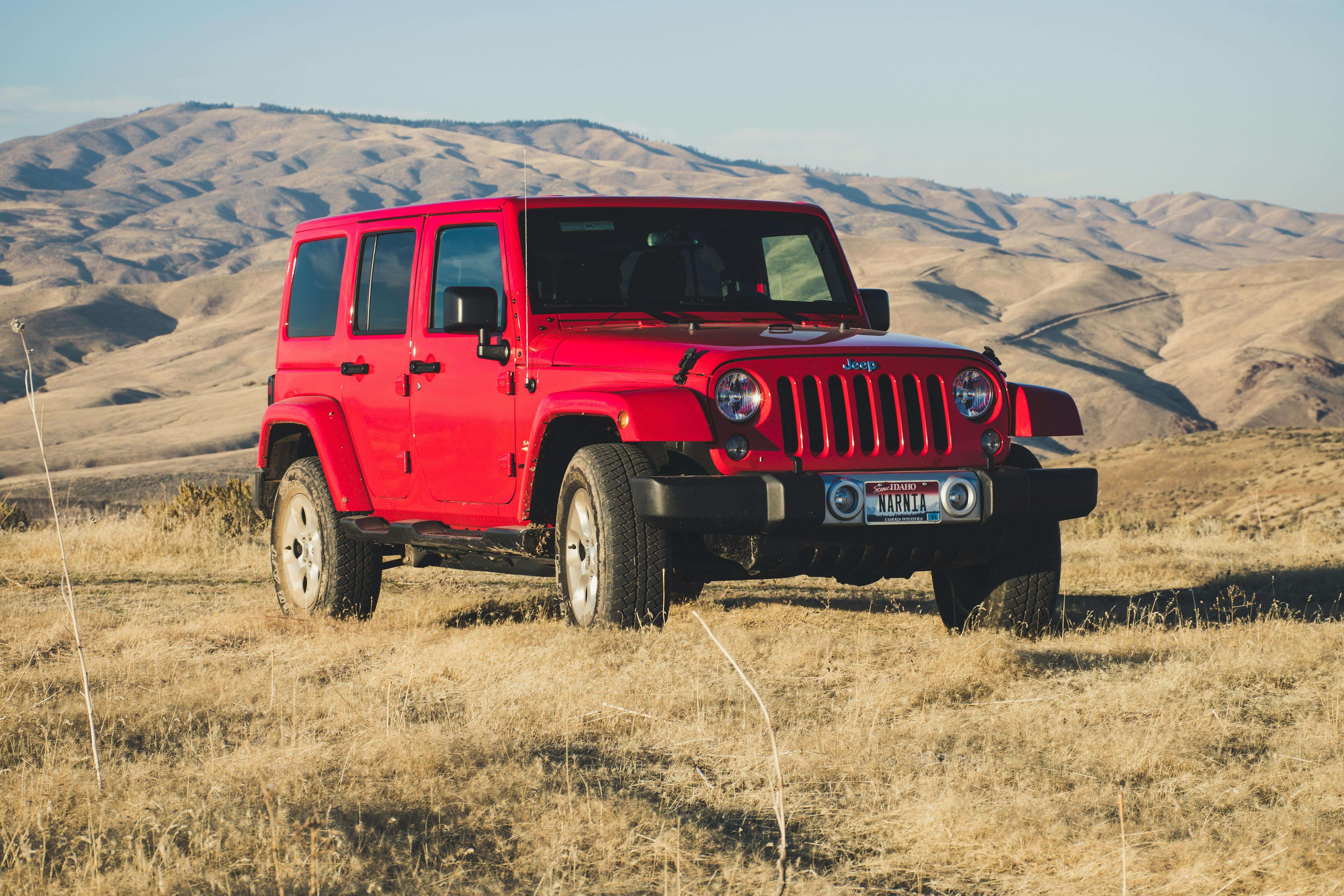
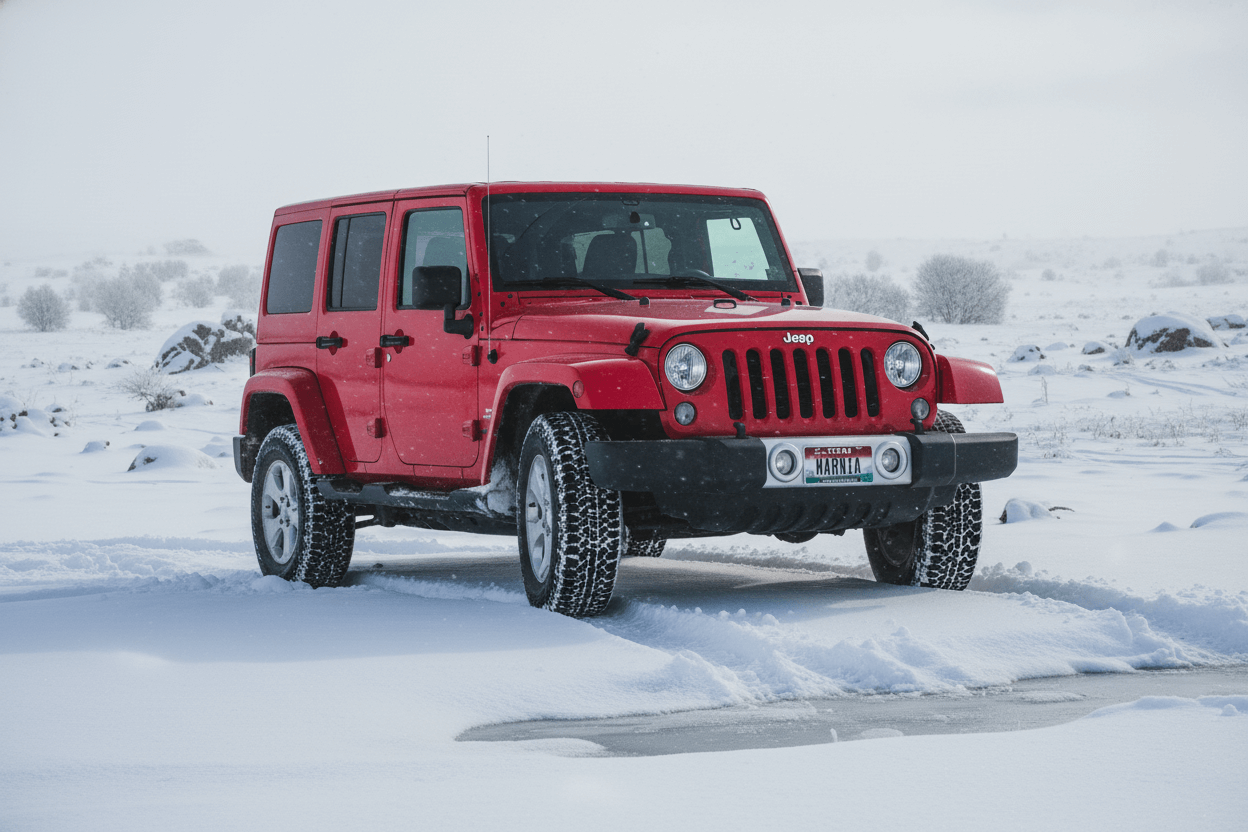
Change the background to a snowy winter landscape
Professional Image Control from Brief to Final Asset
Use higher resolution, stronger instruction following, and multi-image guidance when a quick draft is not enough.
Clearer Text Inside Images
Create posters, packaging concepts, title cards, menus, diagrams, and social graphics with more deliberate typography. Specify wording, hierarchy, placement, and visual style in the prompt.
Consistent Multi-Reference Editing
Upload up to 8 reference images to preserve products, characters, materials, colors, or art direction while building a new scene or revising an existing composition.
Production Output up to 4K
Choose 1K, 2K, or 4K resolution for concept reviews, web publishing, campaign delivery, presentation screens, and detailed marketing assets.
Precise Scene and Camera Changes
Direct framing, viewpoint, lighting, depth of field, color treatment, background, and object placement with natural-language editing instructions.
Campaign Variants Across Formats
Adapt one visual idea for square posts, vertical stories, landscape banners, product pages, and presentation layouts while keeping the creative direction coherent.
Multilingual Creative Workflows
Draft localized posters, labels, and promotional layouts for different markets. Always review spelling, claims, and brand requirements before publishing.
How to Use Nano Banana Pro
Build a detailed image in three focused stages, then refine it without leaving the workspace.
Add Your References
Upload product shots, sketches, characters, brand assets, style references, or the image you want to edit. Use only files you have permission to process.
Describe the Final Result
Write a practical creative brief: define the subject, composition, visible text, camera angle, lighting, palette, background, and details that must remain unchanged.
Set Resolution, Generate, and Refine
Choose an aspect ratio and 1K, 2K, or 4K output. Review the result carefully, then continue editing with a more specific follow-up prompt when needed.
Nano Banana Pro FAQ
Answers about resolution, reference images, text rendering, professional editing, credits, and commercial workflows.
What is Nano Banana Pro?
Nano Banana Pro is an advanced AI image generation and editing model for work that needs stronger instruction following, higher resolution, readable layouts, and controlled use of multiple references.
What resolutions can Nano Banana Pro generate?
The workspace offers 1K, 2K, and 4K output. Use 1K for faster reviews, 2K for polished digital assets, and 4K when the final image needs more detail.
How many reference images can I use?
You can upload up to 8 reference images in JPG, PNG, or WebP format. Each file can be up to 30MB. Use references to guide products, subjects, colors, materials, and composition.
Can Nano Banana Pro create readable text in images?
Nano Banana Pro is better suited to text-heavy designs than lightweight models. Include the exact wording in your prompt and describe font style, placement, hierarchy, and alignment. Review all generated text before publishing.
Can I edit an existing photo instead of generating a new one?
Yes. Choose image-to-image mode, upload the photo, and describe the intended change. You can revise backgrounds, lighting, objects, styling, framing, and other visual details.
Why does Nano Banana Pro use more credits?
Pro pricing varies by selected resolution because higher-resolution generation requires more processing. The workspace shows the required credits before you generate.
When should I use Nano Banana 2 Lite instead?
Use Nano Banana 2 Lite for quick 1K drafts, simple edits, frequent variations, and lower-credit workflows. Use Pro when resolution, typography, consistency, and detailed creative control are the priority.
Can I use Nano Banana Pro output commercially?
Commercial use depends on your rights to all source images, prompts, trademarks, people, and generated content, plus the site's current terms. Review final assets for accuracy, permissions, and brand compliance.